Roles
UX/UI & Interaction designer

Timeline
September 2021 - October 2021

Tools
Adobe XD, Microsoft Teams, Jira & Jira Confluence
UX/UI & Interaction designer
September 2021 - October 2021
Adobe XD, Microsoft Teams, Jira & Jira Confluence
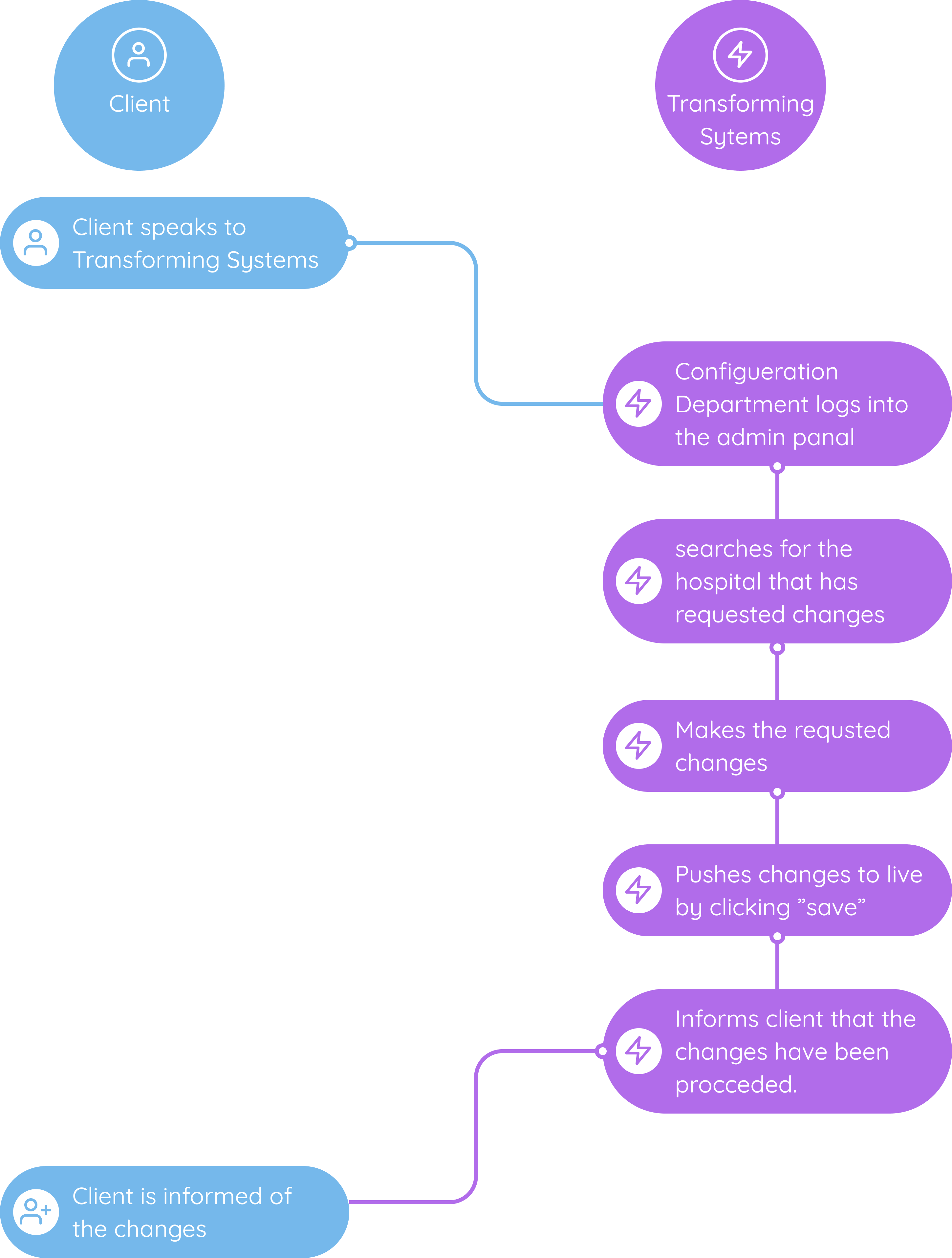
Currently Transforming Systems relies on the developers to configure new client changes in the back end via coding. My team asked me to design an efficient way where the configuration Department of Transforming Systems could easily update their clients filter’s and indicators and get back to them on the same day.

I was the “one man army” UX/UI designer for this project. I carried out the ideation sessions UX design, UI design, liaising with the developers, presented the prototype to the configuration department team and facilitated the design hand-off to developers.
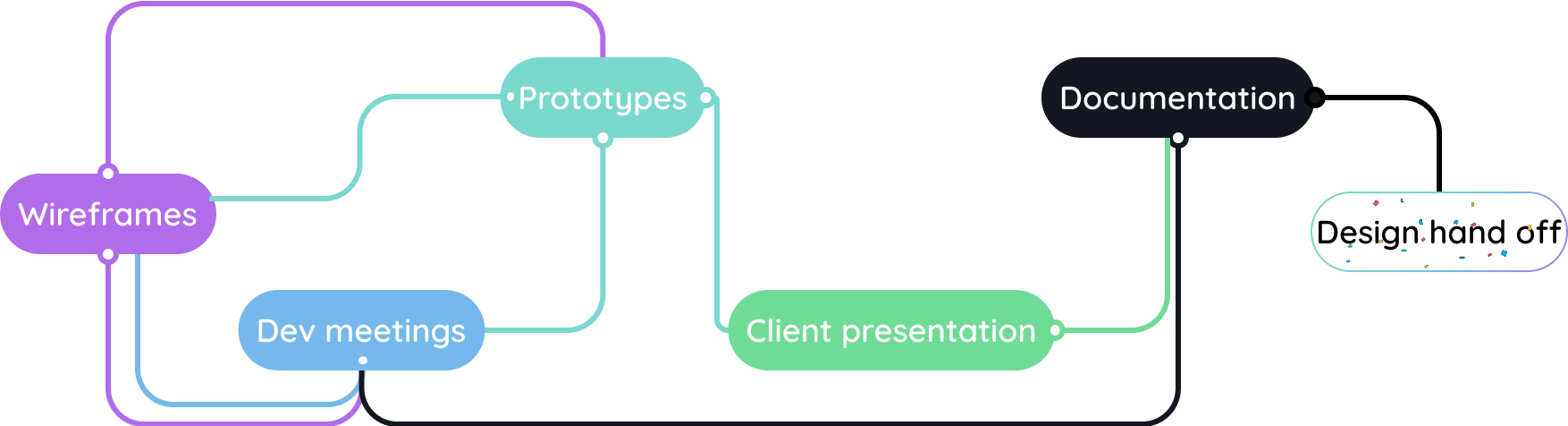
The process was non-linear, there were many iterations that took place in building the filter options dashboard. From having an MVP to meetings with developers and back to the drawing board. It was a constant cycle and was not broken until the client presentation where the clients (Transforming Systems configuration department) loved the design and the documentation could proceed. There were still meetings with the devs after the documentation but no extra work was needed on my part.

When Transforming Systems sells to a new area the support and delivery team can not update the filter options alone.
Developers are needed to configure the filters. This leads to a loss of time and money.
On average clients will have to wait 24 to 48 hours for the requests to be met.


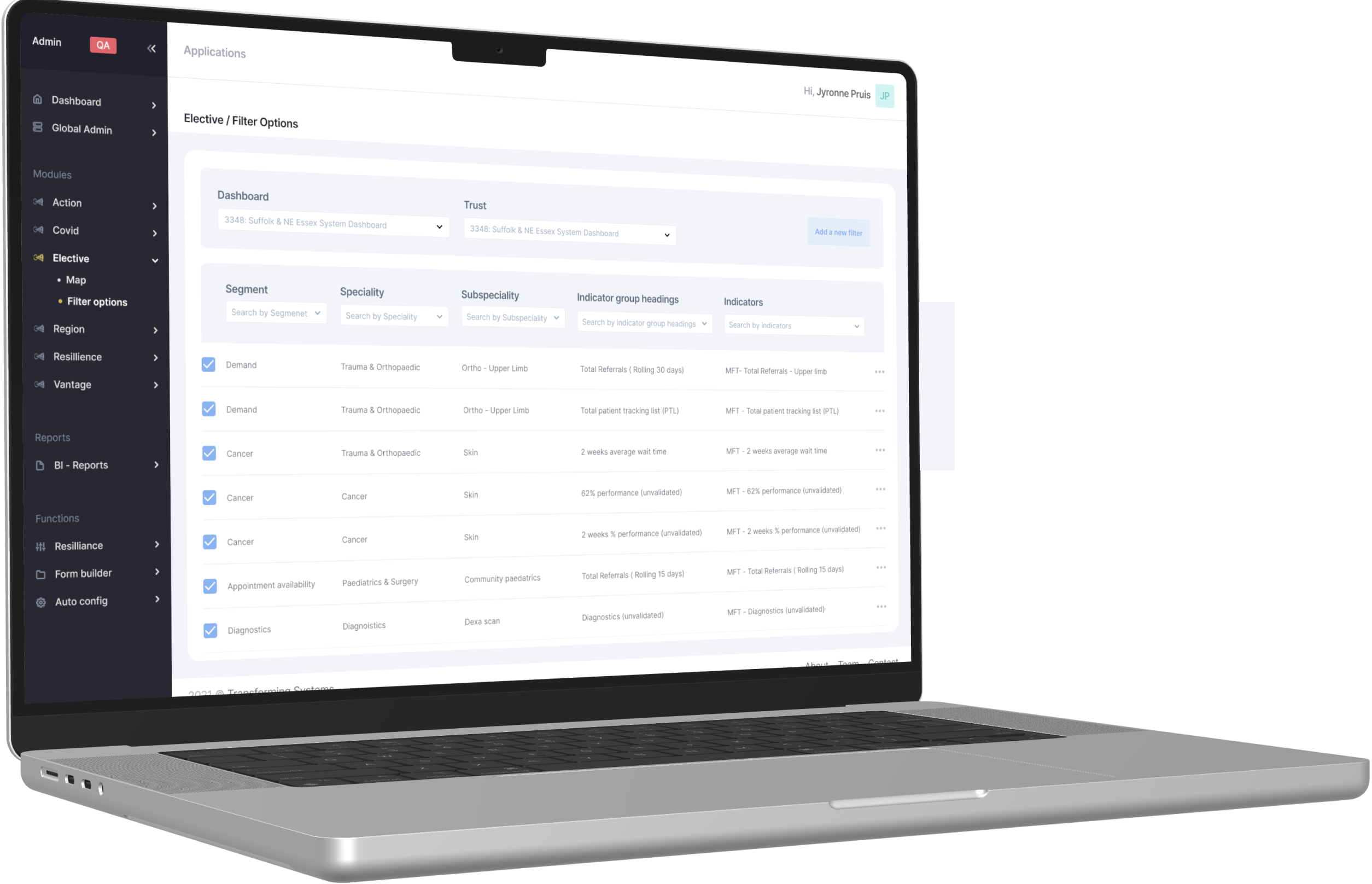
A spreadsheet like dashboard where the user is able to choose the clients through the hospital name and trusts to configure or add new filters and indicators in a matter of minutes.
Reducing the administrative burden from the tech team. Removing workload from the tech team to transfer the responsibilities of configuring to the configuration department.

This dashboard design was to be integrated into Transforming System’s admin panel. Meaning I had to use the same colours, typography and iconography as is on the admin panel.
Expect, there was no design system in place. So I had to create SVG’s that look exactly like the ones used on the current platform, whilst using Google add-ons such as what-font and colour eye dropper to get the colour schemes and typography to remain consistency.

With the current system in place simple configuration changes such as changing the name of indicator or adding a new filter option could take days since devs were needed to carry out the process. Now the changes could be made in the same day.

Feedback received from the admin panel users was extremely positive. Expressing the connivance of having this feature this design design available. “ At first we thought, oh no! Not another spreadsheet design style design. But no, this really works and looks good.”
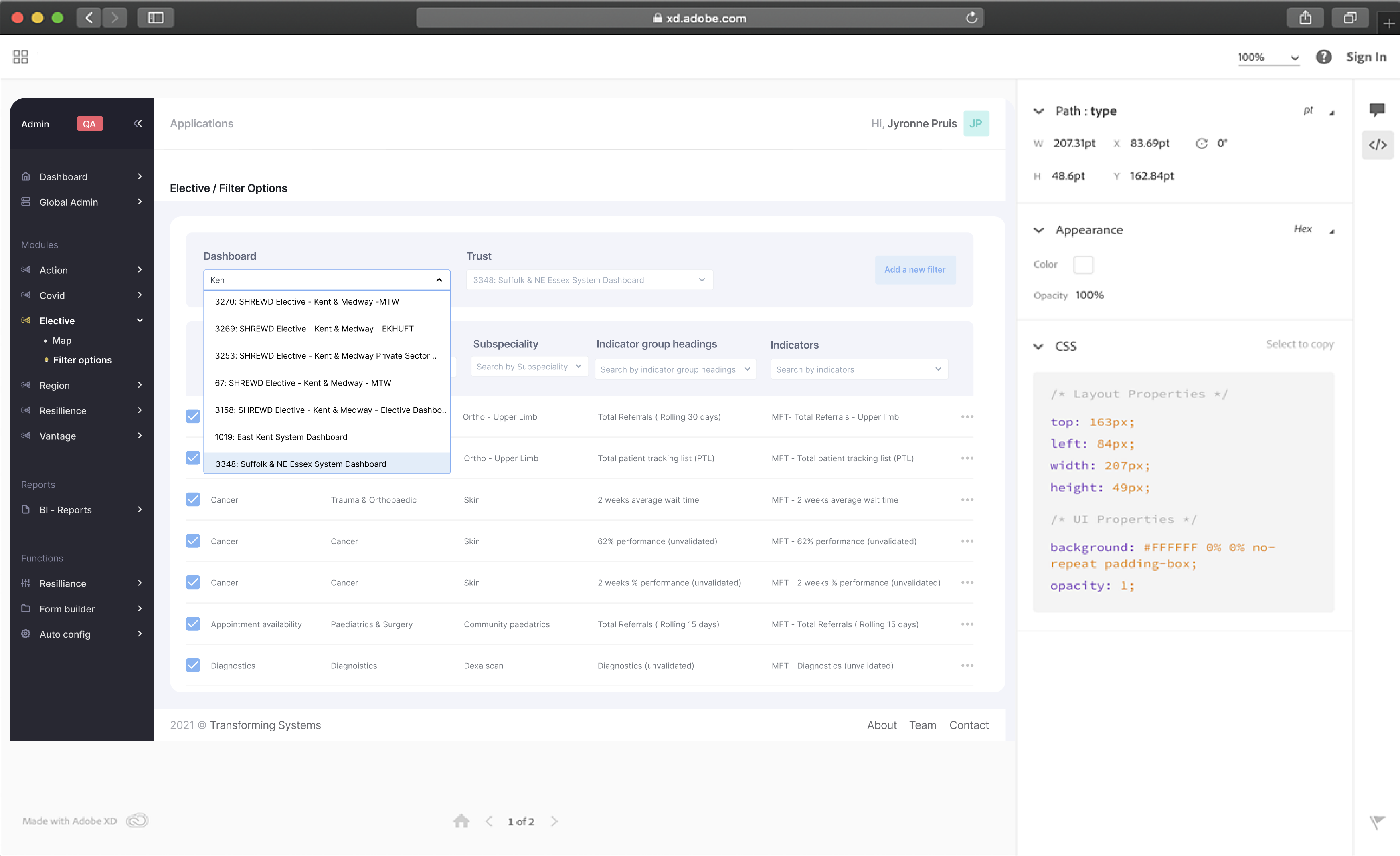
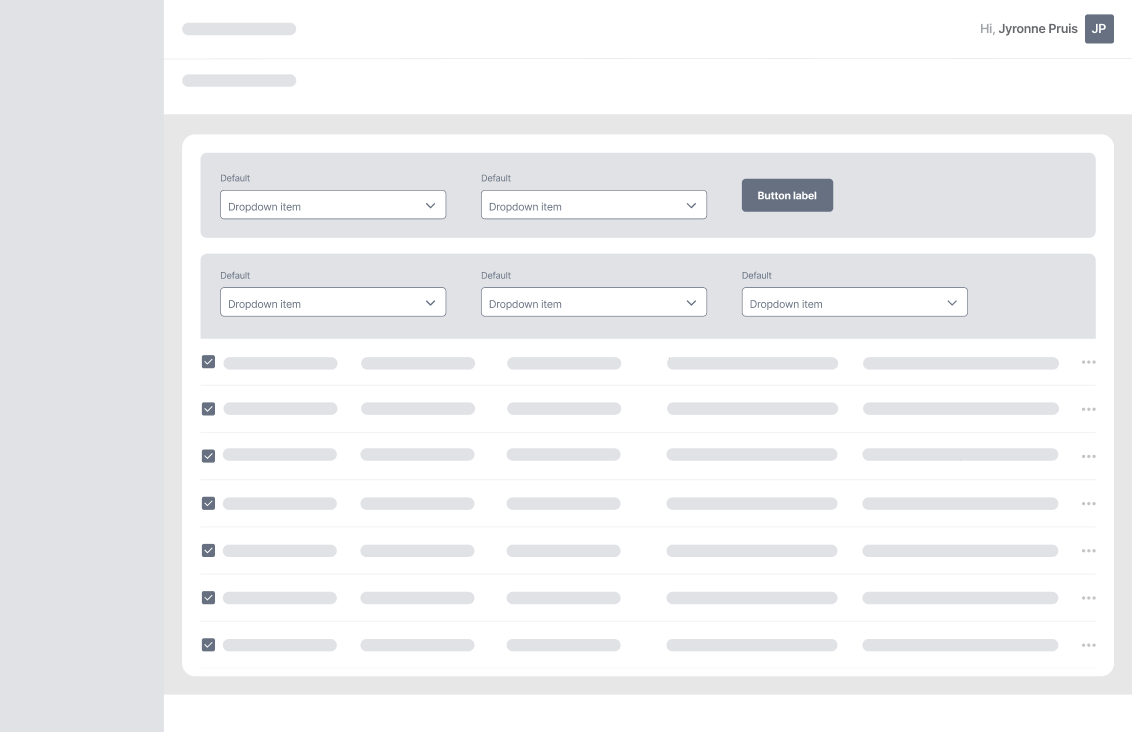
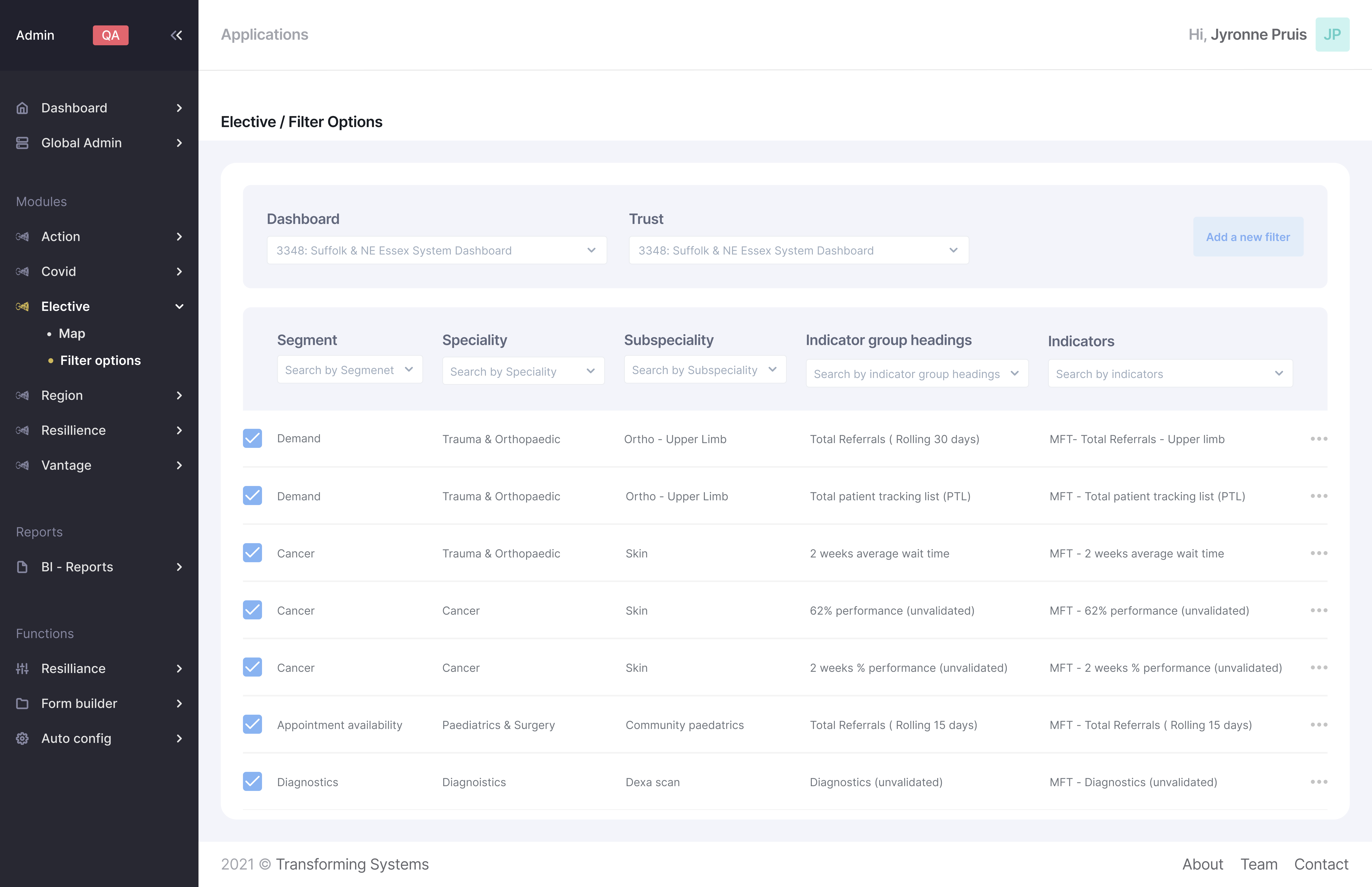
Dashboard: Every client of Transforming Systems receives a unique dashboard where they have their own indicators and filters. By speaking to Transforming Systems the client is able to change and configure what filter options they show.
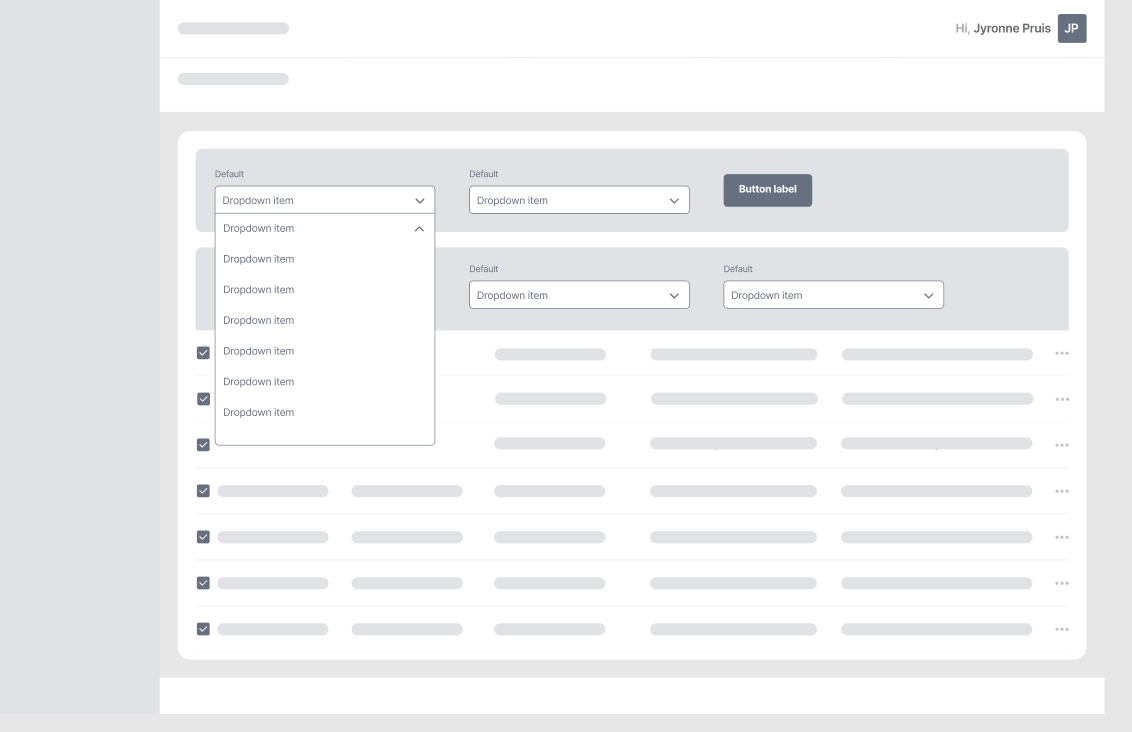
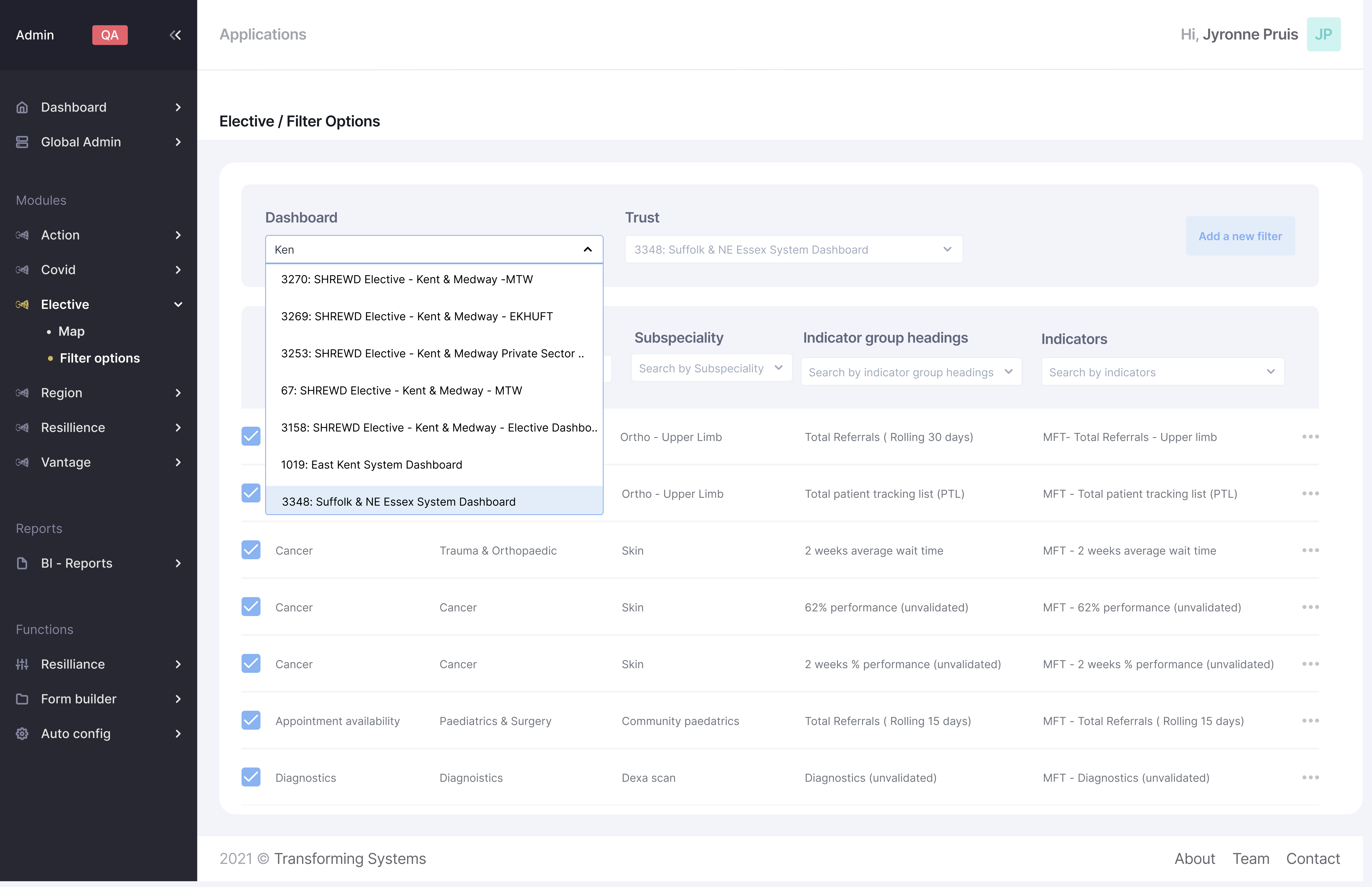
Dropdown List: Using the drop down list the user is able to locate the clients dashboard and carry out the requests.
.
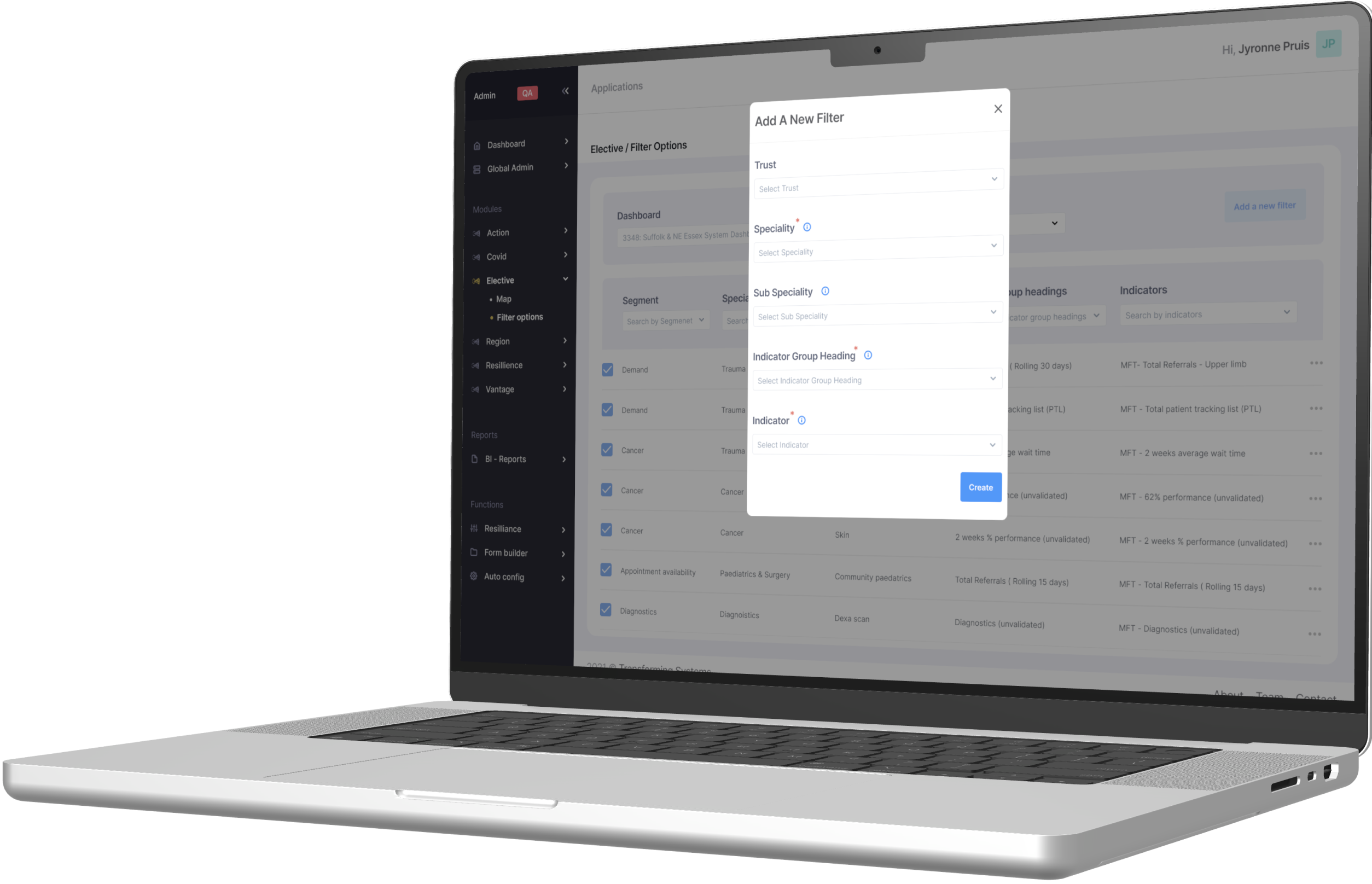
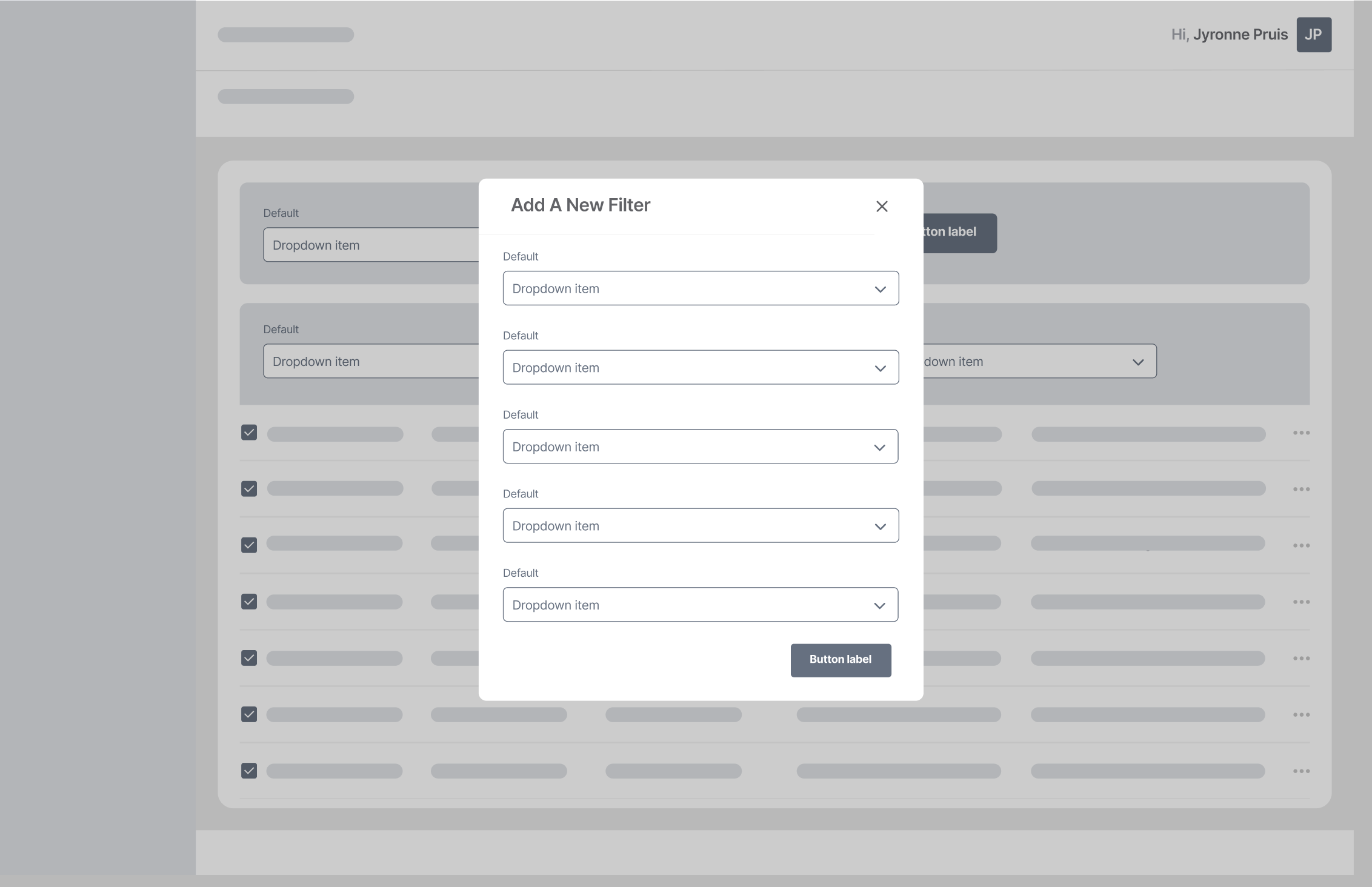
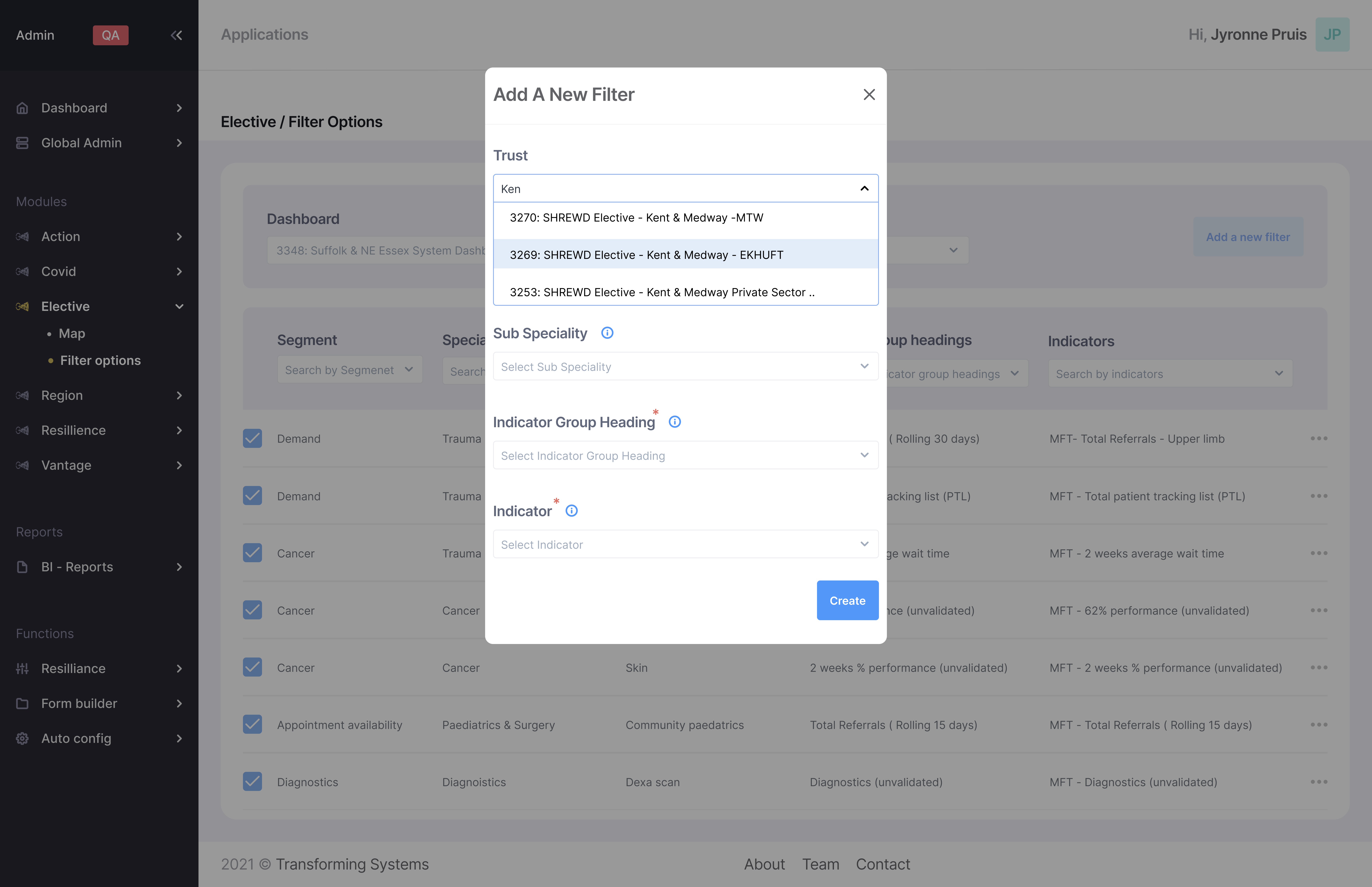
Adding a new filter: This is arguably the most important feature to meet the clients requirements without needing the tech department to code the new filters. By clicking "Add a new filter" the clients request is able to met in a matter of minutes.
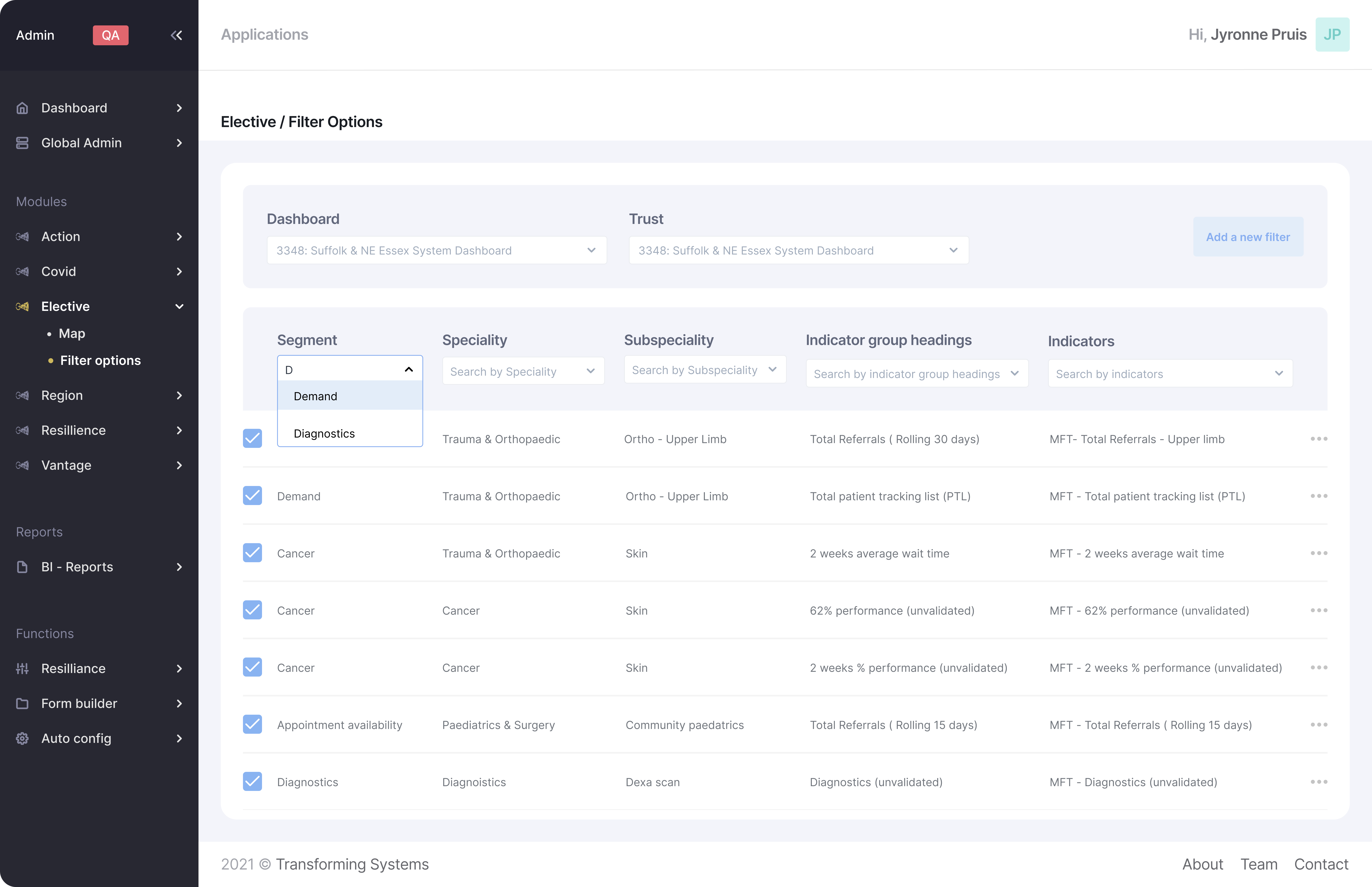
Filtering the filter options: The user is able to quickly filter out the dashboard to find exactly what filters and indicators they are looking for.
.
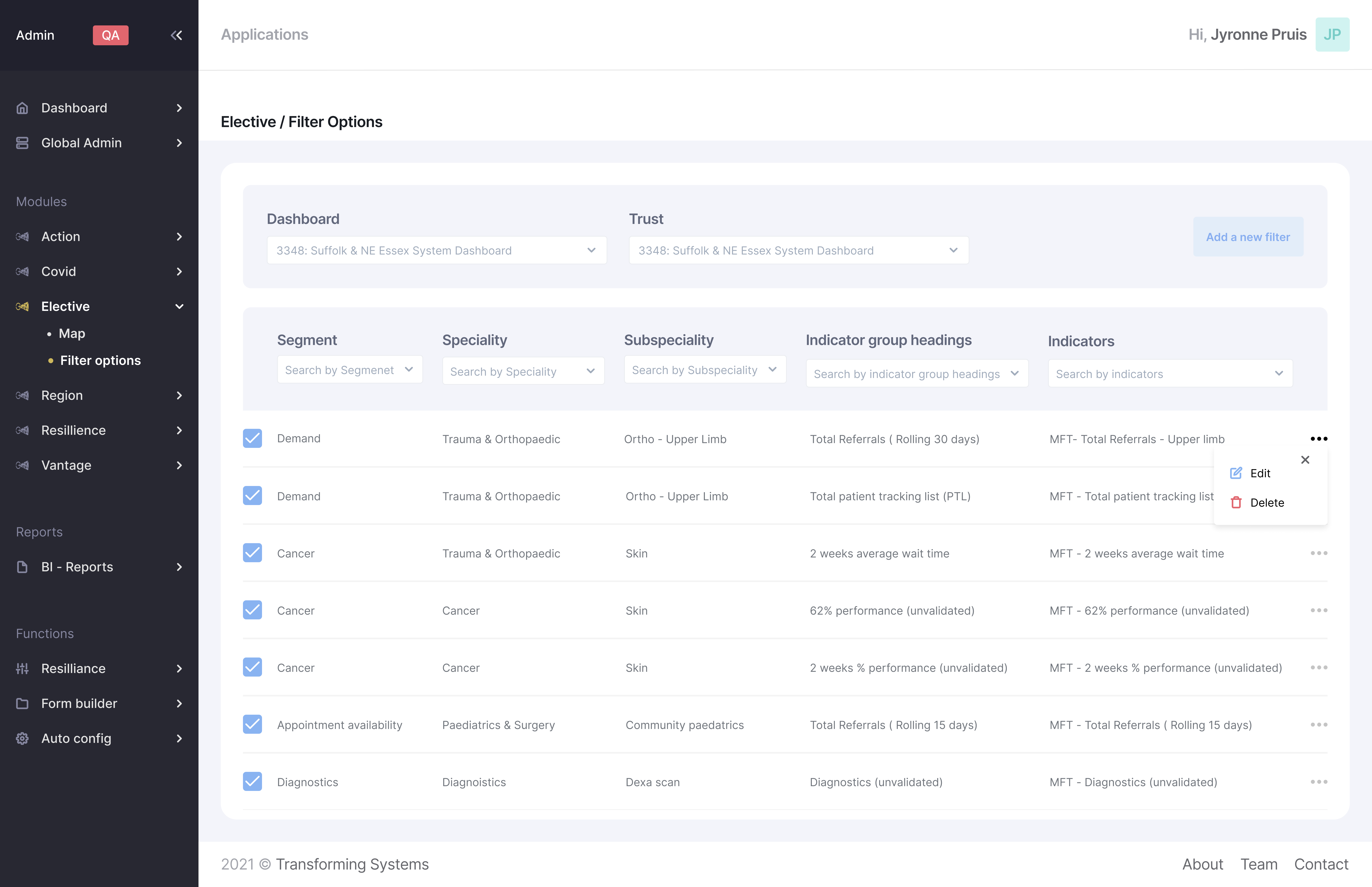
Edit and delete: By clicking on the 3 dot icon the user will be presented with a menu where they can edit or delete the filter option.
.
Every client of Transforming Systems receives a unique dashboard where they have their own indicators and filters. By speaking to Transforming Systems the client is able to change and configure what filter options they show.
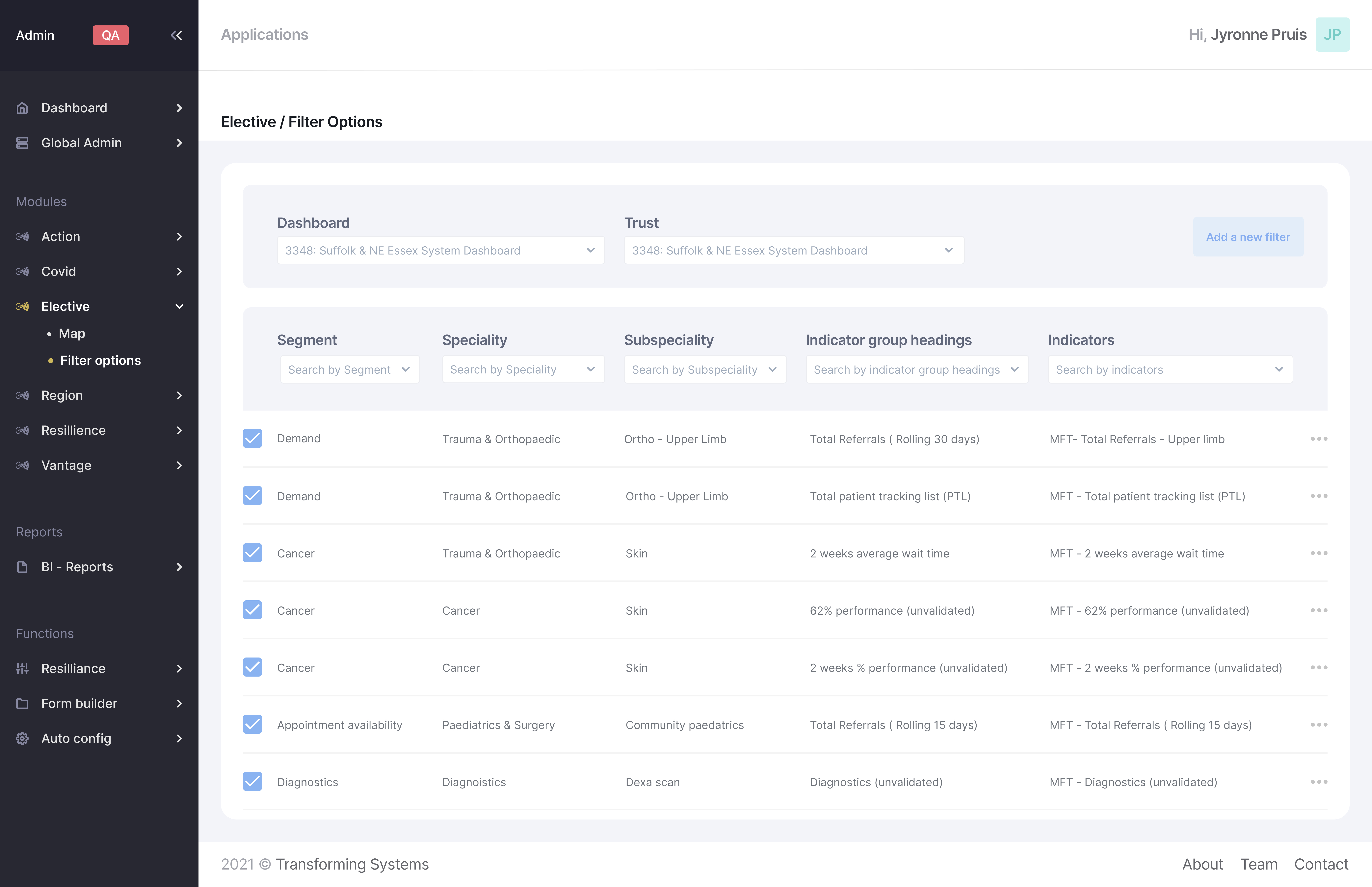
Using the drop down list the user is able to locate the clients dashboard and carry out the requests.
This is arguably the most important feature to meet the clients requirements without needing the tech department to code the new filters. By clicking "Add a new filter" the clients request is able to met in a matter of minutes.
The user is able to quickly filter out the dashboard to find exactly what filters and indicators they are looking for.
By clicking on the 3 dot icon the user will be presented with a menu where they can edit or delete the filter option..
.

My design hand off process involved meeting with developers, creating documentation, and facilitating check-ins through out development.